


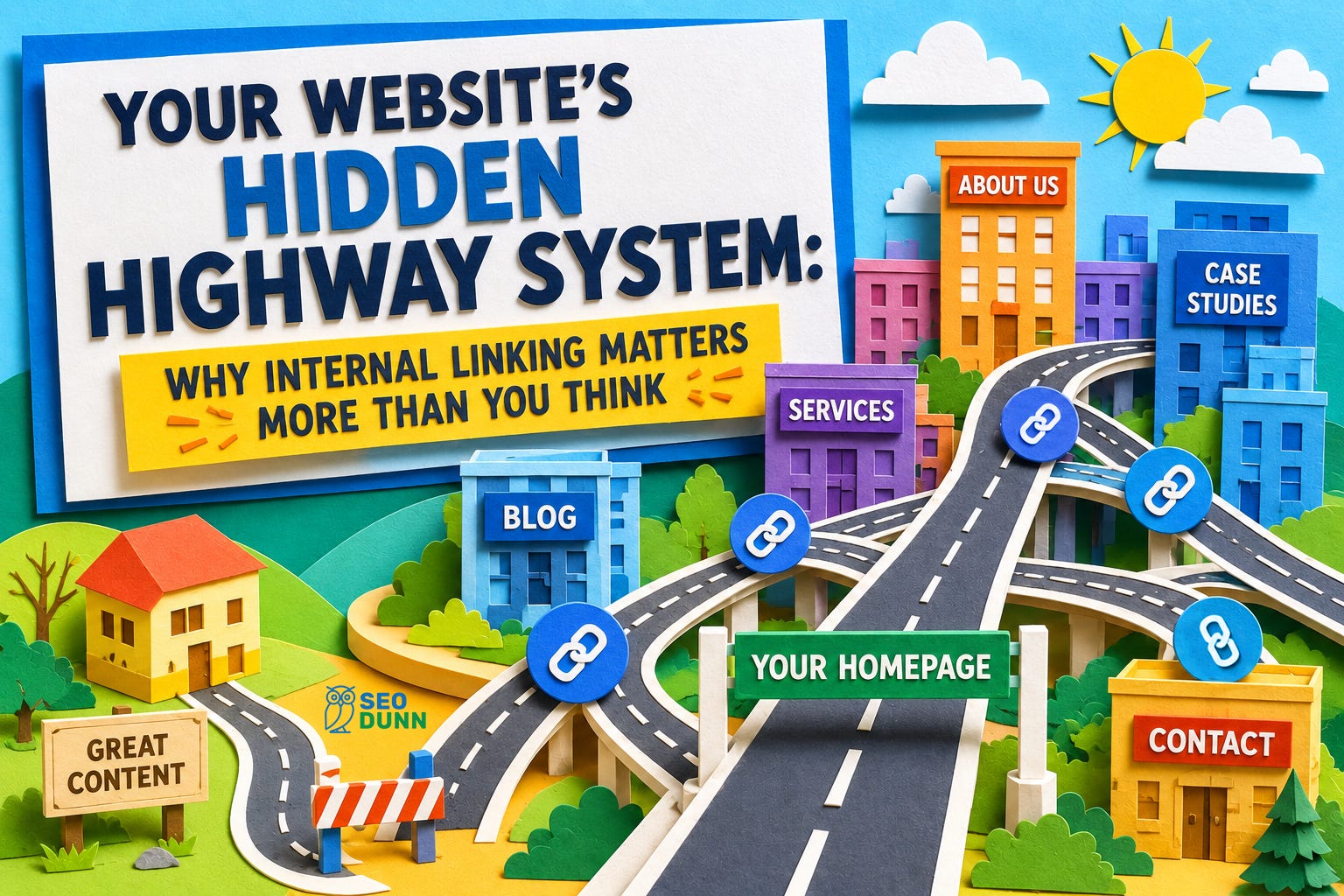
Think of your website as a city. Every page is a building, and internal links are the roads connecting them. Some roads are highways that carry heavy traffic. Others are quiet side streets. And some buildings? They have no roads leading to them at all.
That’s a problem.
Internal linking is one of the most powerful (and most neglected) tools in your SEO toolkit. It costs nothing, requires no special software, and when done with intention, it can transform how both visitors and search engines experience your site.
Let me show you what I mean.
The Two Extremes I See All the Time
After nearly three decades of doing SEO, I can tell you that most websites fall into one of two traps. Sometimes both, on the same site.
Trap one: The navigation links to everything. Services, sub-services, every blog category, about pages, team bios, locations, testimonials. The menu becomes an encyclopedia. When everything is highlighted, nothing is highlighted. You’re telling Google, “all of this is equally important,” which is the same as saying, “none of this is important.”
Trap two: A genuinely great article sits buried deep in the blog with exactly one link pointing to it. It deserves a spotlight. Instead, it’s gathering dust in a back alley with no signage.
Here’s the honest truth: even I forget to highlight my best work sometimes. We get so caught up in creating new content that we lose the plot on the content that actually deserves attention. And that’s really what internal linking comes down to: making intentional choices about what matters most on your site.
Internal Links Are Doing Double Duty
Every internal link you place serves two audiences at once.
For your visitors, links help them find what they need. They guide people through your site naturally, answering follow-up questions before they’re asked and pointing them toward the next logical step.
For search engines, internal links are how Google discovers your pages, understands how your content relates to other content, and determines which pages carry the most authority.
That authority piece is worth understanding. Think of each internal link as a vote of confidence from one page to another. When your homepage (your most authoritative page) links to a service page, it’s passing some of that authority along. The more votes a page receives from other strong pages, the more weight it carries in Google’s eyes. SEOs call this “link equity,” and it flows through your internal links like water through pipes. The structure of those pipes matters enormously.
The Types of Internal Links (And How Each One Works)
Not all internal links are created equal. Here’s what’s actually happening on your site:
Navigation links are your permanent infrastructure. Your main menu, header links, and top-level categories. These appear on every page and tell both visitors and search engines, “these are the most important sections of our site.” The key here is restraint. If your navigation tries to link to everything, it dilutes the signal. Be selective. Feature your cornerstone content and let the rest be found through other link types.
Contextual links are the ones embedded naturally within your content, like the links you see in blog posts pointing to related articles or service pages. This is where the real SEO power lives because these links carry topical relevance. When you link to your page about “website speed optimization” from within an article about Core Web Vitals, Google understands the relationship between those topics. And the anchor text (the clickable words) gives Google even more context about what that destination page is about, so “click here” tells Google nothing, but “our guide to website speed optimization” tells it everything.
Breadcrumb links are the “You are here” trail, usually appearing near the top of a page (something like Home > Services > SEO > Technical SEO). They help visitors understand where they are in your site’s hierarchy, and they give search engines a clear map of your site structure. Simple, effective, and surprisingly underused.
Sidebar and related content links are your “You might also like” recommendations. These keep visitors engaged by surfacing content they wouldn’t have found on their own. For search engines, they create additional pathways between related pages, reinforcing topical connections.
Footer links deserve a special mention because they tend to become a complete mess. Too often, the footer turns into a dumping ground for every link that didn’t fit anywhere else. Keep it simple. Your footer should house essential links (contact, privacy policy, key service pages) and nothing more. A cluttered footer helps nobody.
Image links are the ones people forget about entirely. Any clickable image on your site is an internal link. Product photos that link to product pages, infographics that link to detailed articles, team photos that link to bios. Make sure these images have descriptive alt text (ALT attributes), because that’s how search engines understand what the link is about.
CTA and button links (”Get a Quote,” “Learn More,” “Book a Consultation”) guide user journeys and are critical for conversions. But they’re individual touchpoints, not a strategy. Which brings me to something bigger.
Funnel links are the intentional pathways you design to gently guide visitors from initial interest to becoming a lead or customer. This is a big topic unto itself, but it deserves attention here because it’s one of the most important (and most regularly missed) applications of internal linking. So many websites just throw information at visitors like paint on a wall. There’s content, there’s navigation, but there’s no intentional direction. No thought given to “where do we want our ideal visitor to go next, and next after that?” The difference between a site that informs and a site that converts often comes down to whether someone sat down and mapped out those pathways. If you take nothing else from this article, take this: think about where you want visitors to end up, and then build the roads to get them there.
The Hub-and-Spoke Model
One of the most effective internal linking strategies is the hub-and-spoke model (also called topic clusters). The concept is straightforward:
You create one comprehensive “hub” page about a core topic (let’s say “SEO for Small Businesses”). Then you create supporting “spoke” articles that go deeper on specific subtopics (”How to Optimize Your Google Business Profile,” “Why Site Speed Matters for Local SEO,” “Understanding Keywords for Small Business Websites”). Each spoke links back to the hub, and the hub links out to each spoke.
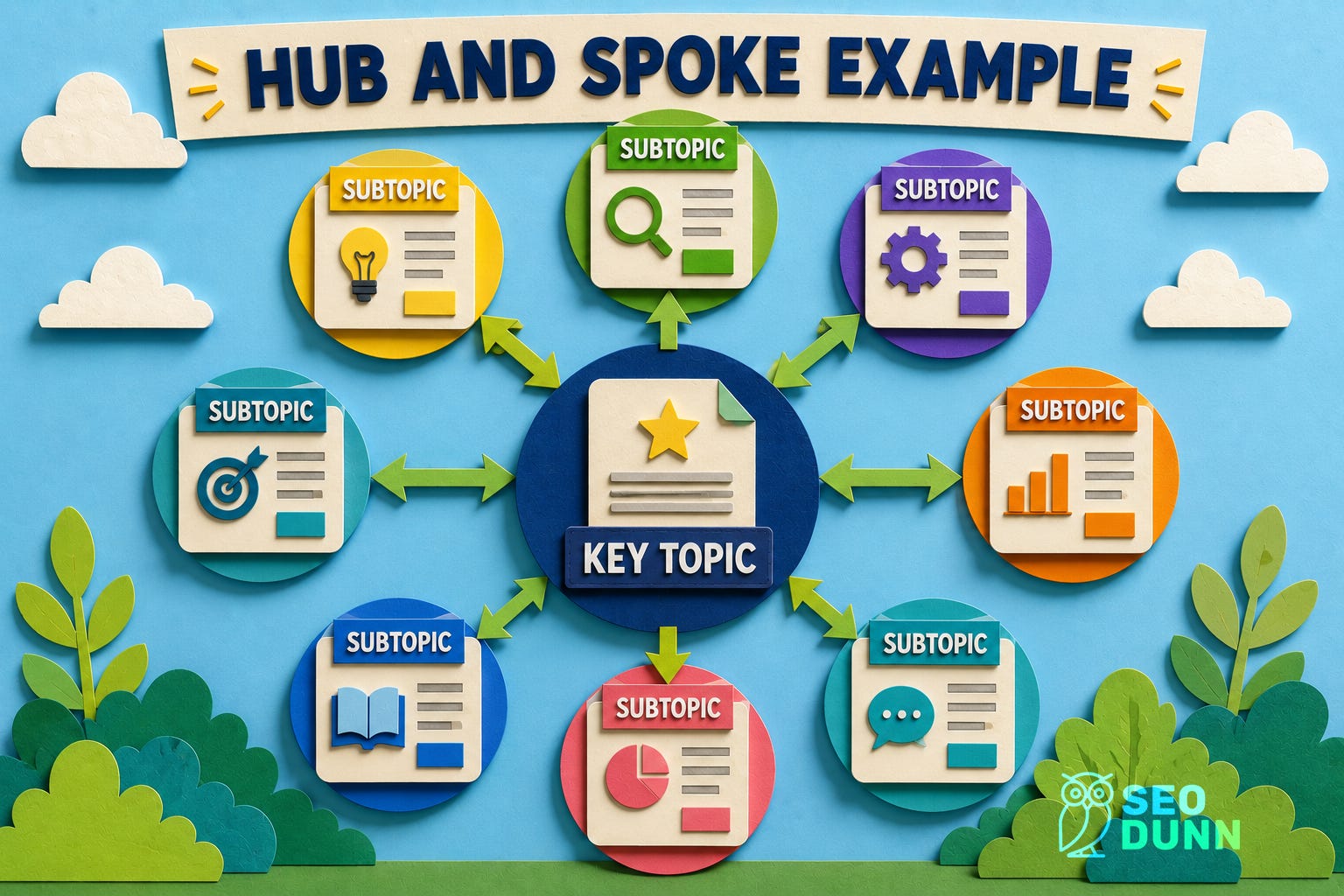
This does two things. It tells search engines you have deep expertise on this topic, and it gives visitors a clear, organized path through your content. You become the go-to resource, not just a collection of random articles.
Your Secret Content Maintenance System
Here’s something most people don’t realize: internal linking, when done as a regular practice, becomes your best early warning system for stale content.
The workflow looks like this:
You write a new article.
You look for related older content to link to (as you should).
You notice some of that older content is outdated.
You make a judgment call.
That judgment call is important. If the outdated content would confuse or mislead someone who clicks through from your new article, fix it first. If it’s a bit stale but still fundamentally accurate, go ahead and publish your new piece, but put that refresh at the top of your to-do list. Don’t let the discovery of stale content paralyze you into not publishing anything. And don’t leave your readers following links into multiple outdated pieces.
Why refreshing beats rewriting: When you update an existing page, the URL stays the same. That means all the link equity and authority that page has built up over months or years is preserved. Write a brand-new article on the same topic? You’re starting from zero on a fresh URL. In the old days, we’d just write something new and move on. In the age of AI, that approach is increasingly costly. AI systems revisit content from authoritative sources and want to see that it’s current. Freshness is a real signal now, and updating your best existing content sends it.
Date Your Content (Seriously)
While we’re on the topic of freshness: if your content isn’t truly evergreen, put a date on it.
I know some people remove dates thinking they’re being clever, but here’s what actually happens. A visitor (or an AI system) lands on your page with outdated content and finds information with no date to provide context. They’re left with three conclusions: either you don’t realize your content is outdated (which looks incompetent), you’re deliberately hiding it (which looks deceptive), or they think it is correct (which really compounds a reputation issue when it’s found wanting). None of these is a good look.
A visible date is your safety net. Even if you haven’t gotten around to refreshing a piece yet, at least readers can see “this was published in 2023” and judge accordingly. Without it, you’re gambling with your credibility every time someone clicks through.
Common Mistakes to Avoid
Let’s do a quick rundown of what not to do:
Navigation bloat. Linking to everything equally from your menu. Be selective.
Orphan pages. Pages with zero internal links pointing to them. Google can’t find what it can’t reach.
Generic anchor text. “Click here” and “read more” tell search engines nothing. Use descriptive, natural language.
Deeply buried pages. If a page takes more than three or four clicks from the homepage (or another main entry page) to reach, it’s too deep. Important content needs shorter paths.
No intentional funnel. Providing information without direction. All the pieces are there, but no pathway connects them.
Over-linking. Cramming twenty links into a 500-word article dilutes the value of each one. Link with purpose, not volume.
Your Afternoon Audit
You don’t need fancy tools to start improving your internal linking today. Here’s a straightforward plan:
Pull up your navigation. Count the links. If there are more than you can justify as truly essential, it’s time to trim.
Check your best content. Find your top five most valuable pages (your best services, your most helpful articles). How many internal links point to each one? If the answer is “not many,” you’ve found your first priority.
Review your last five blog posts. Do they link to related content on your site? Do they guide readers toward a next step?
Look at your footer. Is it clean and purposeful, or is it a junk drawer?
Check for dates. Is your non-evergreen content dated? If not, add dates. Conversely, if your evergreen content is dated, consider removing the dates - after all, by its nature, it has no expiry (this is why I often tell people to publish evergreen content as pages, not blog posts!)
This isn’t a one-time project. Make it a habit every time you publish something new: look for opportunities to link, note what needs refreshing, and make sure you’re guiding visitors somewhere intentional.
The Bigger Picture
Internal linking touches every part of what makes a website successful. It helps Google know your site’s structure and what pages matter most. It helps Google like your content by showing clear relationships between topics. And it helps Google trust your authority by demonstrating depth and organization.
Most importantly, it helps your visitors find what they need and take the action you want them to take.
All content is not created equal. Internal linking is how you make sure your best work gets the attention it deserves.